

For freelance web designers and creative agencies
Collect client files. Know what’s ready for design.
Request logos, website copy, and images with one checklist link. Clients upload without an account.
Free includes 1 open request. No credit card required.
From request to ready in three steps
One checklist for you. One submission link for your client.
Create a checklist
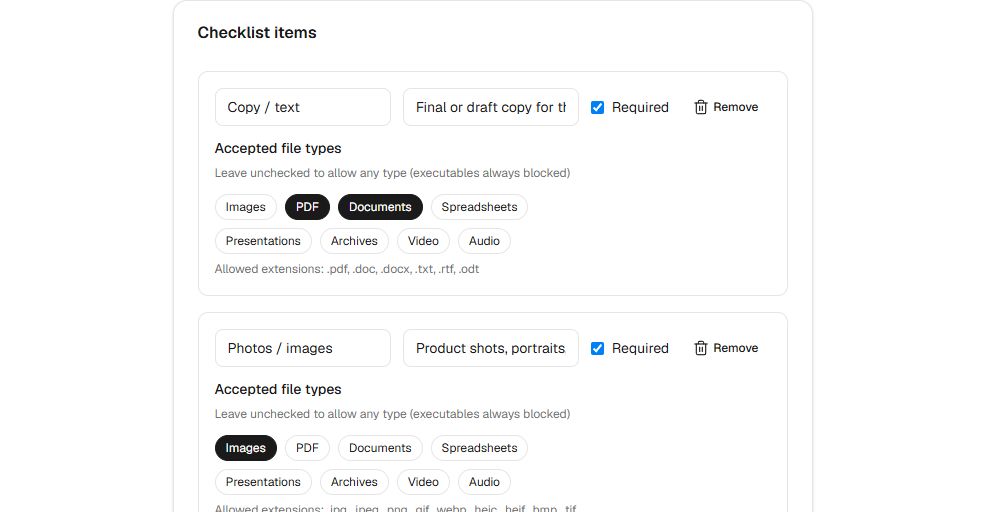
Your checklist editor (demo) Start from a template and list the logos, copy, and images your project needs.
Collect files with one link
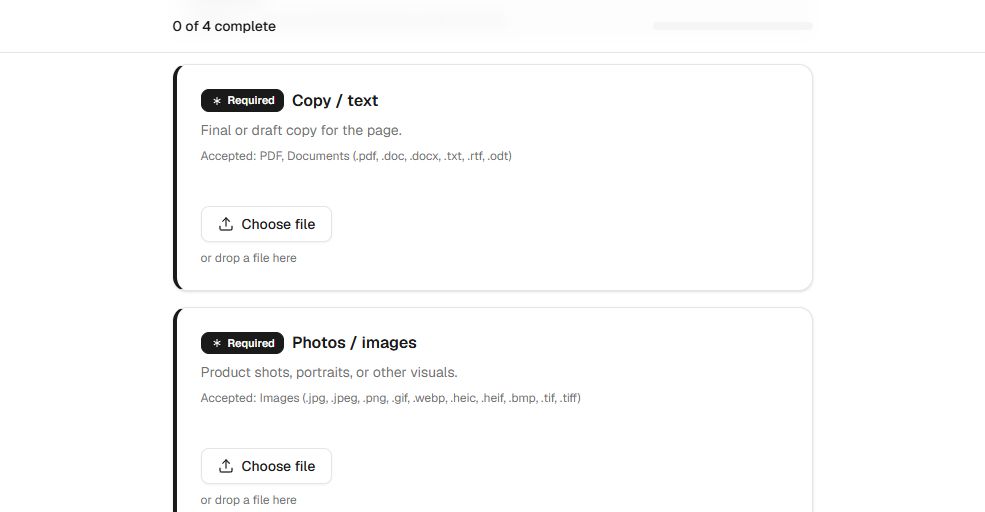
Your client's upload page (demo) Share the link so clients can upload against each item, without creating an account.
See what's complete
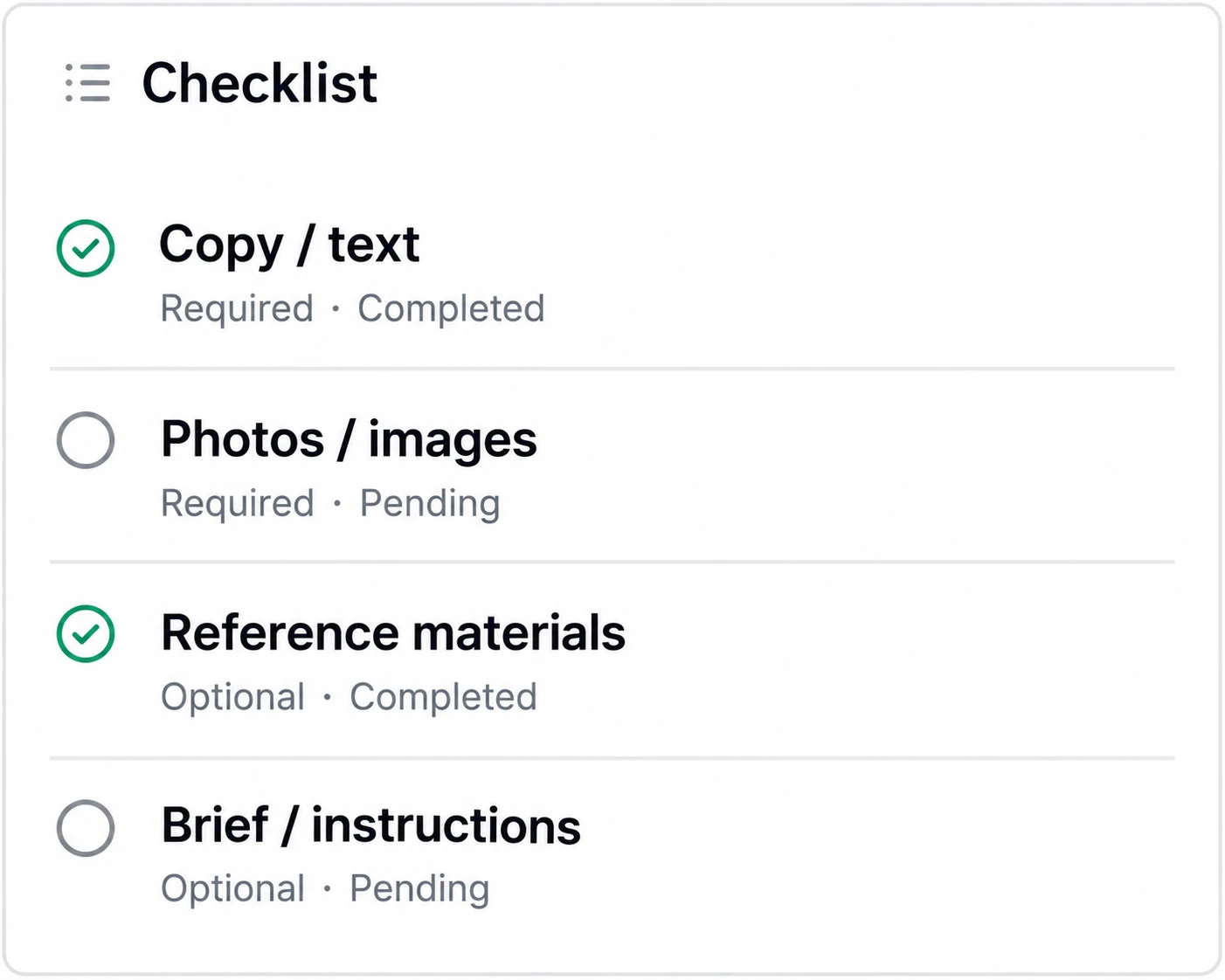
Your management view (illustration) Check your dashboard to see what's arrived and what's missing. Find submitted files in your connected cloud.
Start from a common use case
Browse an industry-specific guide, or see all use cases.
See which project assets are still missing
Request logos, copy, and photos with a checklist, then see each item's submission status in one place. Spend less time matching files in a shared folder against your request.
Make each item clear
Mark files as required or optional, and choose the accepted file types for each item.
Keep files in your storage
Files go to a dedicated request folder. Clients can't browse your storage, and Filecue keeps no copies.
See what's still missing
Check submission status in one dashboard before design starts.
Follow up on the due date
With a due date and recipient email set, Free includes a reminder on the due date. Pro adds reminders before and after it.
Submitted files go into a folder for each request
Filecue creates a dedicated folder in your Google Drive or personal OneDrive. Submitters can upload without permission to browse your cloud files.
Example path
- Filecue
- Client name
- Request title
On Google Drive, this folder structure starts under My Drive. On personal OneDrive, it starts under Apps > Filecue.
Simple pricing
Prices in USD, excluding tax. Filecue does not charge by file storage volume. You need available space in your connected cloud storage.
No credit card required
- Lands in a request-only folder in your cloud (no Filecue storage fees)
- Open requests at once1
- Custom templates2
- Per-item file size limit100 MB
- Automated reminder emailsDue date only
- Send reminders manually
- Submission link expiry
- Password-protected submission links
- Custom submission page branding
- Powered by FilecueShown
Billed monthly
- Lands in a request-only folder in your cloud (no Filecue storage fees)
- Open requests at once50
- Custom templates20
- Per-item file size limitUp to 500 MB
- Automated reminder emails3 days before, on, and after due date
- Send reminders manually
- Submission link expiry
- Password-protected submission links
- Custom submission page branding
- Powered by FilecueHidden
| Feature | Free $0 No credit card required | ProRecommended $19/mo excl. tax Billed monthly |
|---|---|---|
| Start free | Start free | |
| Lands in a request-only folder in your cloud (no Filecue storage fees) | ||
| Open requests at once | 1 | 50 |
| Custom templates | 2 | 20 |
| Per-item file size limit | 100 MB | Up to 500 MB |
| Automated reminder emails | Due date only | 3 days before, on, and after due date |
| Send reminders manually | ||
| Submission link expiry | ||
| Password-protected submission links | ||
| Custom submission page branding | ||
| Powered by Filecue | Shown | Hidden |
Start on Free and upgrade to Pro anytime from Settings. Completing or archiving a request frees an open slot.
What's new
View allFrequently asked questions
Quick answers about how Filecue works for you and submitters.
Do submitters need a Filecue account?
No. Share the link, or have Filecue email it to them when you create the request, and they can submit from their browser, no account required.
Where are uploaded files stored?
Files land in a request-only folder in your connected cloud storage. Filecue coordinates the upload but does not keep copies on our servers.
Which cloud storage is supported?
Filecue works with Google Drive and personal Microsoft OneDrive accounts. Work or school OneDrive (Microsoft 365 / OneDrive for Business) is not supported. When both Google Drive and personal OneDrive are connected, choose the destination for each new request. Files land in a request-only folder in your connected cloud.
What are the Free and Pro plan limits?
Free includes 1 open request at a time, 2 custom templates, an automatic reminder on the due date, and submission link expiry. Pro ($19/month) raises that to 50 open requests and 20 templates, adds reminders 3 days before and after the due date, manual reminders, password-protected links, and custom branding. Completing or archiving a request frees a slot. On both plans, files land in a request-only folder in your connected cloud. Filecue doesn't charge for storage.
Are there file size or type limits?
Each file can be up to 100 MB by default. On Pro, you can raise the limit for individual checklist items up to 500 MB. You can also limit each checklist item to accepted types such as images, PDF, or documents. Executable and script files (such as .exe, .bat, and .ps1) are always blocked for safety.
How secure is the submission link?
Each request uses a unique, hard-to-guess link, and uploads travel over HTTPS. You can set a submission link expiry on Free and Pro, and Pro can also require a password before upload. Passwords are never included in Filecue emails. Files land only in the cloud storage folder for that request. Nothing outside that dedicated folder is touched.
Can I cancel Pro anytime?
Yes. Manage or cancel your subscription from Settings → Billing. You keep access through the end of the current billing period.
Can submitters browse my cloud storage?
No. Submitters only get the submission link for that request. They can't browse your connected cloud storage, and the submission page does not show which provider you use. Files are uploaded only into the request-only folder created for that request.
What if my cloud storage is full?
The upload fails, and the submission page explains that the requester's storage is out of space without naming the provider. You also receive an email notification, limited to once per request every 24 hours. Free up space, then ask the submitter to try again.
Still have a question? Contact us
Get the files your next project needs.
Connect your storage, create a checklist, and share one link. Clients can submit without creating an account.
Free includes 1 open request. No credit card required. Demos need no account.